
Supercharging My 3D Printing Workflow With a Simple Bookmarklet
Lately I’ve been tightening up my whole 3D-printing flow. I’ve been printing little upgrades and fixes around the house, and I kept running into the same annoying bottleneck:
Finding files means searching a bunch of different websites… every single time.
Thingiverse, Printables, MakerWorld, Cults, MyMiniFactory, Thangs, Yeggi, Pinshape... you know the drill. Open a new tab, type the search, repeat eight times. It gets old fast.
Then I remembered something I used to mess around with back in the late 90s / early 2000s:
Those tiny pieces of JavaScript you store as a bookmark and click whenever you want them to run.
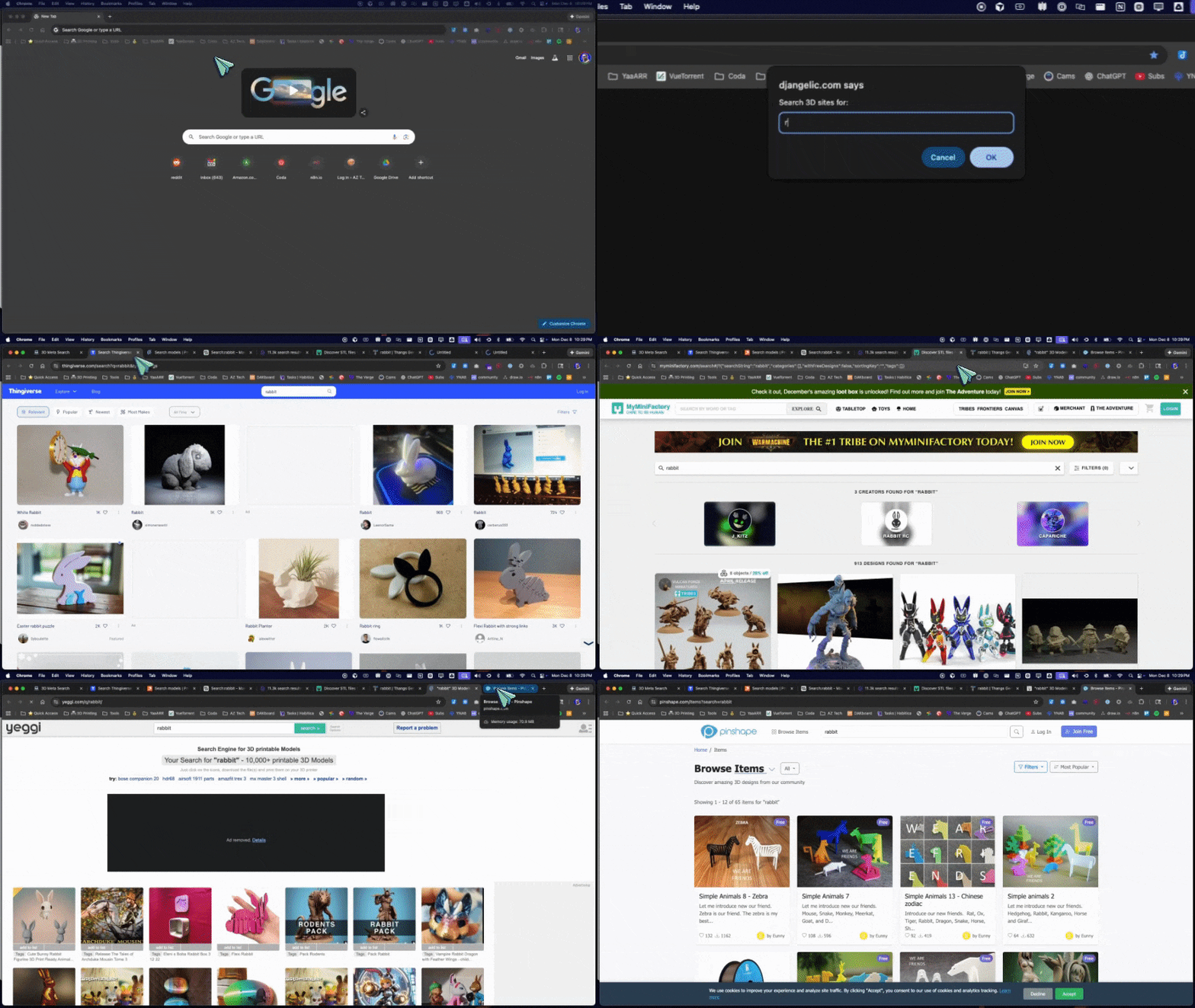
So I had ChatGPT help me whip up a modern bookmarklet that hits all the major 3D model sites at once. One search prompt → eight tabs → done.
And yep, you can use it too.
⚠️ Before You Deploy It — One Important Warning
This is JavaScript. It runs in your browser.
Never blindly trust code from random people on the internet — including me.
Before you paste any bookmarklet code into your browser, it’s smart to:
- Run it past your preferred AI or analyzer.
- Make sure you understand roughly what it does.
- Confirm it’s not sending your data somewhere shady.
This one simply opens a bunch of search URLs in new tabs. Nothing sneaky. But still — it’s worth repeating:
Always have your AI (or friend that codes if you have one of those) double-check any code you paste into your browser, even if it looks harmless.
Okay, back to the fun stuff.
How to Install the Bookmarklet
- Create a new bookmark in your browser.
- Name it something like Search All 3D.
- Copy/paste the entire code below into the URL field.
- Save it.
- When you run it for the first time, make sure you’re in a new tab so Chrome doesn’t think the site you're currently on is spawning popups.
- The browser will probably ask you to allow popups the first time — just approve it for that tab.
Now every time you click the bookmark, it’ll ask for a search term and launch all the major 3D-model sites in new tabs with that query.
The Bookmarklet Code
javascript:(function () {
  var q = prompt('Search 3D sites for:');
  if (!q) return;
  var e = encodeURIComponent(q);
  var urls = [
    'https://www.thingiverse.com/search?q=' + e + '&type=things',
    'https://www.printables.com/search/models?q=' + e,
    'https://makerworld.com/en/search/models?keyword=' + e,
    'https://cults3d.com/en/search?q=' + e,
    'https://www.myminifactory.com/search/?query=' + e,
    'https://thangs.com/search/' + e + '?scope=all',
    'https://www.yeggi.com/q/' + e + '/',
    'https://pinshape.com/items?search=' + e
  ];
  urls.forEach(function (u) {
    window.open(u, '_blank');
  });
})();
Why This Helps
Instead of hopping around sites one by one, you get everything in one click. It’s simple, but it’s one of the most useful workflow hacks I’ve added to my 3D printing setup in a long time.
If you tweak it or come up with a better version, I’d love to hear what you did.
Happy printing!